Buying Guides
Specifying an AI Translator for Hotel, Airport and Government Counters
A procurement checklist for counter translation hardware: screens, microphone behaviour, power, mounting, languages and the questions to ask before you order.
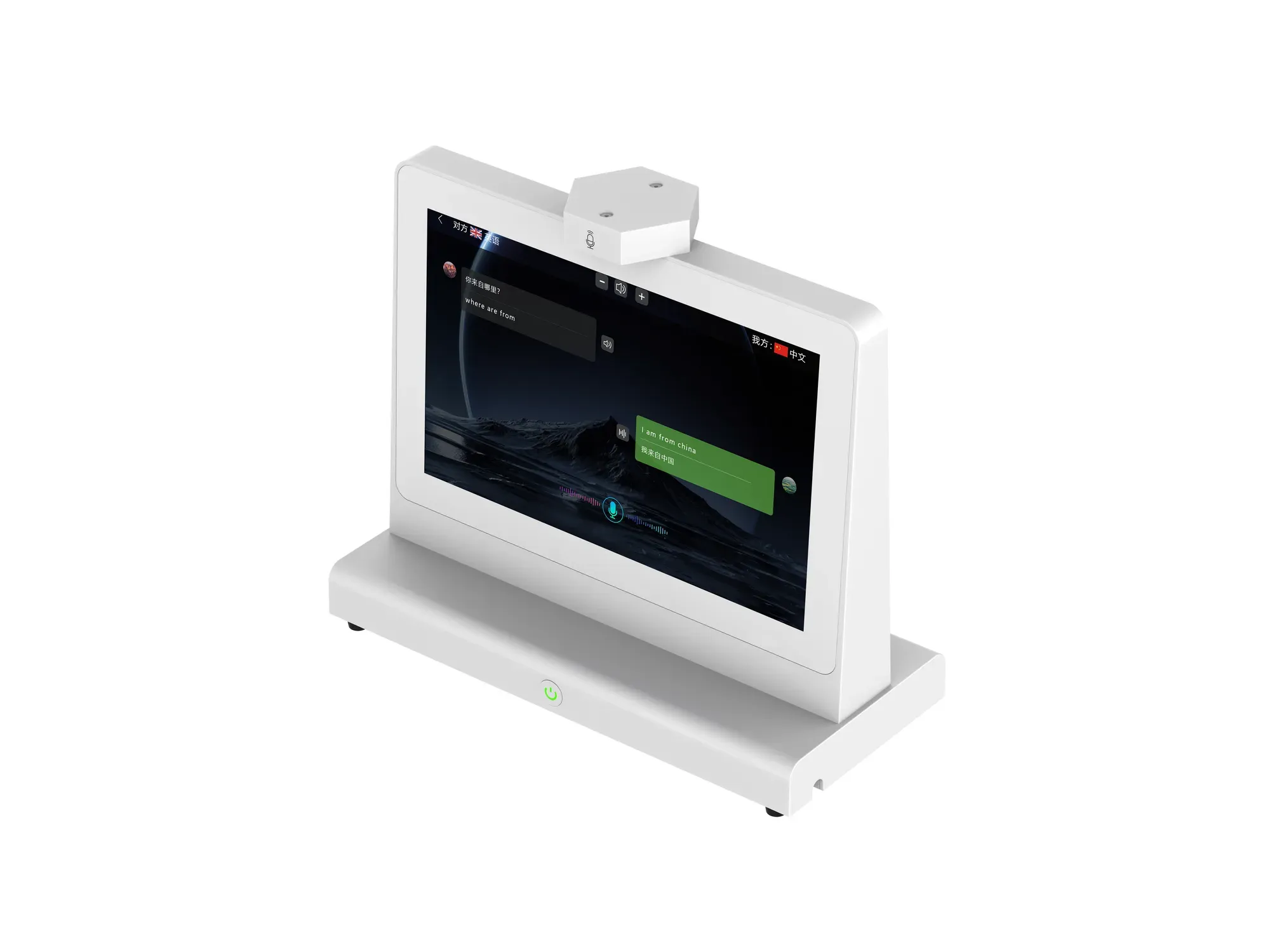
Counter translation hardware is usually bought by operations teams, not by gadget enthusiasts. The decision has to survive a procurement review, a facilities check and a trial shift at a real desk. This is the checklist we would use if we were the buyer.
1. Start with the conversation, not the device
Write down the interactions your desk handles: check-in, directions, document checking, appointment changes, complaints. Then list the languages you actually receive — not the ones you might receive. A device that covers 140+ languages internationally (39+ in the domestic edition) still only helps if the languages on your list are among them, so test your real pairs rather than the marketing count.
2. Check who can see the translation
This is the specification that separates counter devices from handheld ones. Two 10.1-inch screens at 1280 × 800 with brightness of at least 250 cd/m² work for a counter under typical indoor lighting. Ask specifically whether the second screen is touch-enabled: on the ZXTLCD-AIS007 both the main and the secondary screen are capacitive 10-point touch, so either side can be operated if the workflow needs it.
3. Ask how the device decides who is speaking
A two-channel speaker-separated microphone array with an independent AB algorithm is the configuration that lets the device attribute speech to a side of the desk. If a supplier cannot explain how their device decides which screen to update, test it with two people before you buy.
4. Confirm power, network and ports against your site
The ZXTLCD-AIS007 runs on a DC-12V/3A adapter with AC 110-220V input and draws no more than 30 W, on Android 11 with an RK3568 processor, DDR4 2GB and 32GB eMMC. Networking is WiFi plus 100/1000M adaptive Ethernet. Physical ports are USB×2, DC×1, RJ45×1, Type-C×1 and TF×1.
Check two things with your facilities team: whether the counter has a socket within cable reach, and whether your guest or public network allows the device to join. A wired RJ45 option is often the difference between a working pilot and a stalled one in public buildings.
5. Measure the counter before you order
The unit is 267.2 × 236.7 × 120 mm at 1.30 kg on an integrated equipment base, packed at 315 × 302 × 160 mm and 1.98 kg gross. On a narrow reception ledge this matters: the device needs depth for the base, clearance for the screens to face both directions, and enough height that a seated staff member and a standing visitor can both read.
Operating conditions are 0-50°C with 20%-80% relative humidity, non-condensing, below 4000 m altitude. That covers normal indoor service halls; it is not an outdoor or unheated-gate specification.
6. Decide what happens to the conversation record
The device ties data to user identities, makes communication logs accessible on mobile devices, and can generate meeting summaries automatically. Before deployment, agree internally who may access those records, how long they are kept, and whether recordings are acceptable in your jurisdiction. That is a policy decision, not a product feature.
7. Ask for a trial at your own desk
The most useful procurement step is a short trial in your actual environment with two or three of your real language pairs. A device that reads well on a datasheet can still fail on a noisy concourse. Ask for the configuration you are considering, not a demonstration unit with different settings.
If you send us the counter type, number of positions and languages involved, we will reply with the configuration we would recommend and the documentation your procurement process needs.