Applications
Dual-Screen Translation at a Service Counter: What Actually Changes
A handheld translator has to be passed back and forth. A dual-screen unit gives each person their own display — here is what that changes at a hotel desk, an airport counter and a government window.
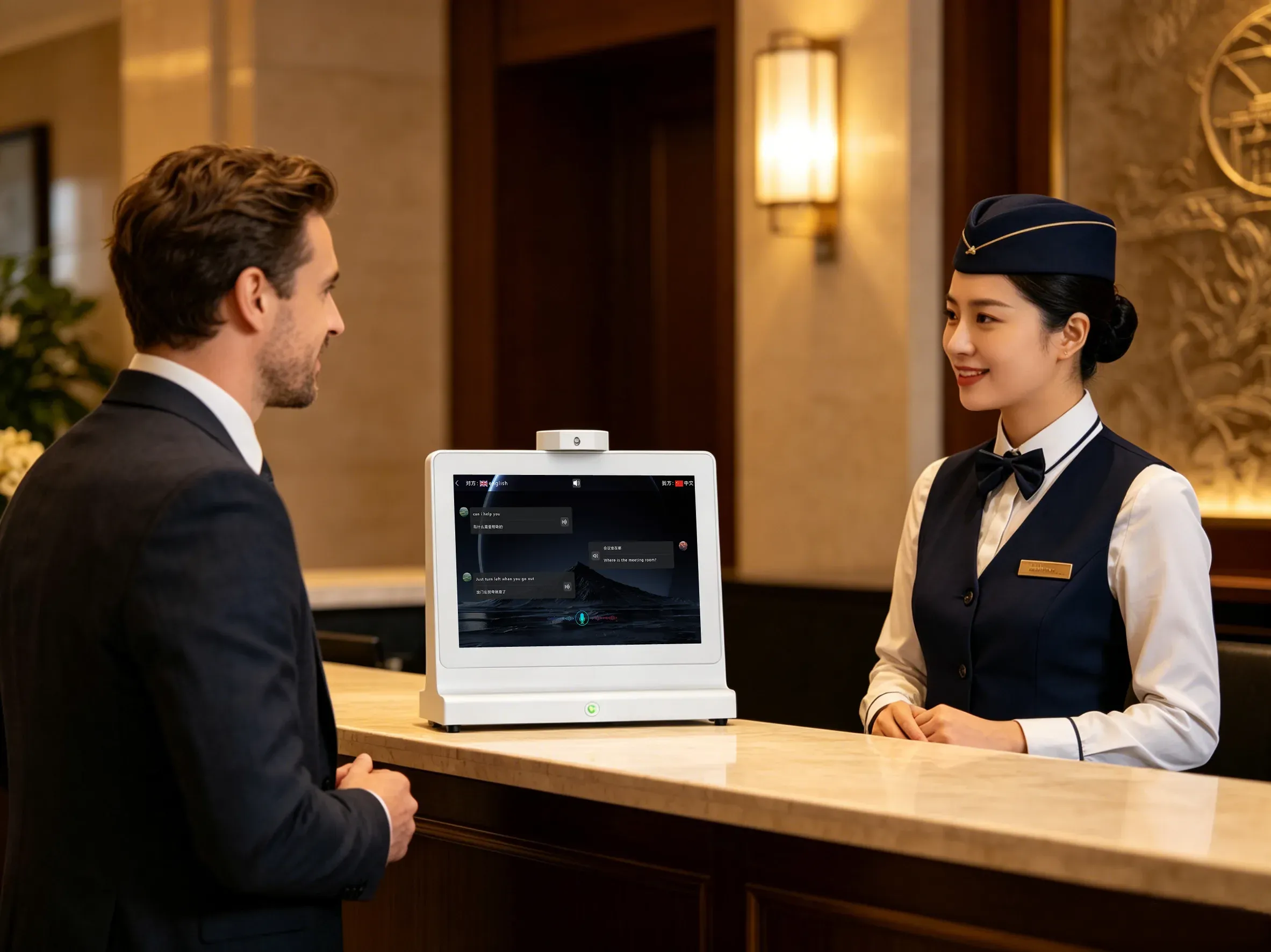
Walk up to most information desks with a handheld translator and a small ritual starts: the staff member speaks, turns the device around, waits for the visitor to read, then takes it back. The translation is correct, but the conversation is now a queue of handovers. The ZXTLCD-AIS007 was designed to remove that ritual.
What a second screen changes
The device carries two 10.1-inch screens facing opposite directions, each 1280 × 800, with brightness of at least 250 cd/m² on WLED IPS panels and a 178-degree-class viewing angle (89/89/89/89). The staff member reads one screen; the visitor reads the other. Nobody rotates the hardware, and nobody leans across the counter to read upside down.
The practical effect is not only speed. When both people can see the translated text as it appears, they can point at a date, correct a spelling, or ask a follow-up without re-explaining the whole request. That is the difference between a device used occasionally and one used at every interaction.
Who is it built for
The design brief behind the ZXTLCD-AIS007 names the settings we designed for: hotel reception, government service counters, airport information desks, subway and high-speed rail information desks, immigration counters, meeting rooms and shops. The common thread is a counter with a person on each side and no shared language.
In a hotel lobby, the conversation is usually check-in, room requests or directions. At an airport information desk it is gate changes, baggage and transfers under time pressure. At a government service window it is forms, documents and eligibility rules where precision matters more than speed. The same dual-screen layout serves all three, but the second and third cases benefit most — misreading a document requirement is expensive.
The parts of the hardware that matter at a desk
A counter device lives in public, so physical handling matters. The ZXTLCD-AIS007 measures 267.2 × 236.7 × 120 mm and weighs 1.30 kg with an integrated equipment base, which keeps it stable on a worktop while leaving the screens at reading height. The package is 315 × 302 × 160 mm at 1.98 kg gross.
Both screens are touch-enabled: capacitive G+G 10-point, working with fingers or a capacitive stylus, at 1 mm accuracy or better with a rated life of over 50 million touches. The staff member normally controls language selection and modes, while the visitor reads — but either side can interact when the workflow calls for it.
Power comes from an external DC-12V/3A adapter with AC 110-220V input, and consumption stays at or under 30 W, so a normal desk socket is enough. Connectivity is WiFi plus 100/1000M adaptive Ethernet, with USB×2, RJ45×1, Type-C×1 and TF×1 available for counter integration.
What it will not do for you
A translator does not replace a bilingual member of staff for legal, medical or contractual conversations. It also does not decide your queue design, your script, or which languages your site actually receives. What it does is make the routine half of a cross-language conversation — greetings, directions, appointment details, document names — flow without a handover.
If you are evaluating a counter deployment, the useful next step is to write down the five interactions your desk handles most often, the languages involved, and how many positions you need to cover. That list is what a quotation should be built from.